Thursday, July 10, 2008

Chapter 9

This is going to be short today. I’m packing.


I checked out the web site mentioned in class today, School 2.0. I really liked their transformation exercises. I was happy to see that I knew all the terms except one, which was document camera. I now know that one, too. What was really thought provoking was the introductory exercise. (I went back to get the name of it and it said the site is down for a few hours.) I would never be able to accomplish discussing those topics in 30 minutes. I am a reflective thinker and envisioning change takes me a long time to process.


I started to play around with the bandwidth calculator, but didn’t have enough information to really start. For example, I have no idea what the current bandwidth is at each of my labs. We signed up for them at different times. Originally (probably 5-8 years ago), we’d just call Cox or Qwest, find out who served the area and have them install a line. I don’t even remember them asking about what bandwidth we needed. Then the City’s ITD group started insisting they be involved in these purchases of service, and, oh my goodness, it can drive me crazy. However, I never hear or see what they finally purchase for us. When I return, I plan to see if I can find out.


At first I thought I would check out the future of education by linking to thoughts found on Web 2.0 tools. Honesty, I wasn’t terribly impressed. It seems like everyone is so caught up in trying to incorporate technology and Web 2.0 tools that they’re not thinking much beyond that. One of the sites caught my eye. It was a link to an article that talked about using wikis in law school. But what was really interesting, was that along the right margin of the blog, it said, “This blog will replace the paper Faculty Awareness Bulletin. “ I suppose law school professors have got to get with Web 2.0, too. http://sufab.wordpress.com/2007/11/29/wikipedia-and-the-future-of-legal-education/


Using Education 2020 as a search was somewhat interesting. There’s a corporation with that name that specializes in online classes for grades 6 through 12. Although I did not specifically read this, I got the impression that they specialize in helping kids get caught up or who have difficulty in a traditional classroom. They use virtual classrooms, one of the topics of discussion today. They had some research pages that showed their method will at least help kids pass the high stakes test for the applicable state. I was surprised; they’re located in Scottsdale, AZ. I’m not sure they’re going to make it to 2020, though. They’re summer school advertisement was for 2007. http://www.e2020inc.com/aboutus.html


This whole Education 2020 thing has been around awhile. This article, http://www.tcpd.org/Thornburg/Handouts/2020visions.html, was written in 1997. There are a few things that date the information (a computer with 8 MB of RAM cost $2,500), but other than those idiosyncrasies, we’re (globally, not just our classroom) still talking about the same thing – are we preparing kids sufficiently for the jobs and the world of 2020?


Wow, this year’s 1st graders will graduate in 2020!


When I was visiting the School 2.0 web site, it suggested you view a MacArthur Foundation video, which was on YouTube. Of course, YouTube is somewhat similar to Amazon.com in that it suggests other videos to watch. I watched a number of them and enjoyed most of them. However, one really stood out. Other than reading and hearing from Sir Ken Robinson, this has to be my very favorite thing I’ve seen while delving into the topics found in our text. It would have been a great introduction (or closing) to either of the classes I took this summer and certainly a fitting end to the chapter reviews on this blog.


http://www.youtube.com/watch?v=_A-ZVCjfWf8&feature=related

Wednesday, July 9, 2008

Chapter 8

This chapter is indeed a hodgepodge of topics that the authors apparently couldn’t fit anywhere else, but knew needed to be addressed.


Digital divide, edivide or information divide – it’s all pretty much the same. Folks don’t have access to the benefits derived from having access to technology, computers, and/or the internet. I understand why the authors did such a cursory review of this – after all, the book is about using Web 2.0 tools in the classroom.


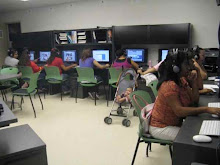
When I think of the digital divide I think of kids in public housing (or other low income children) who don’t have access to a computer or the internet at home. I know that they have access to computers at school, in the library, probably in their Parks and Recreation Center and Boys and Girls clubs, and in our Neighborhood Networks (NN) Centers. Most of these places have high speed internet connectivity. We want these kids and parents to feel proud of the technology available so we usually find grants to buy innovative stuff for our NN centers and other centers that serve youth in and around public housing.


These centers do fill a need. Both the library labs and our computer labs are usually full after school. This means we usually have to impose time limits, a definite hindrance when a child is doing homework. (If there are people waiting, we usually impose a 30 minute time limit unless a person is doing homework then we give them 60 minutes.) It doesn’t change the fact that they don’t have these resources at home like many middle class families, but it is available.


HOWEVER, teachers shouldn’t assign an entry to a blog, for instance, as homework if the student doesn’t have access at home and time isn’t given in class. (If you take a bus in our neighborhood, it’s one bus or nothing.) This leads me to one of my soapbox topics. How can teachers in low-income neighborhoods assign such work? We have 5th graders coming to our lab to type reports because teachers say they won’t accept them if they’re hand written. I have kids being assigned to produce PowerPoints. If these were “slacker” kids, I might understand, but they’re not. Enough. On with the blog.


Somewhere I read this week that we look at problems the way we’ve been taught to look at problems. We filter them through a sieve of information and then look at the notions and solutions that we’ve used before to find an “answer.” In the interests of the economics of time, we usually don’t even look for a 2nd possible solution. We just think, “aha, problem solved, time for next task.” Most of us are not taught to look at issues in any other way. The point was that we don’t search for creative solutions. We need to relearn how to look at the challenges the world faces. AND we need to teach children to use their innate creative talents when solving problems.


This hit me square between the eyes when I started pursuing the digital divide angle. I am so insular. After reviewing a few sites, I realized I had no concept of what the problem really is, let alone an answer (contrary to the edivide quizzes on think.quest.com).


Jakob Nielsen, a website guru who helps businesses develop usable websites (http://www.useit.com/alertbox/digital-divide.html), says there’s a usability divide. He says that even if we gave everyone computers using them is so convoluted that most people would have difficulty using it effectively. The issue, he says, is that 40% of the population has lower literacy skills and very few companies or web site designers use the guidelines for writing for low literacy users. At http://www.useit.com/alertbox/20050314.html, he has a number of insights and suggestions for writing text and designing web sites that are user friendly for persons with lower literacy. (Great for our discussion about persons with disabilities, too)


Another thing brought to my attention by this search was the language divide. Even if we connected everyone in the world, there’s a huge language imbalance. Over 65% of web sites are in English with Japanese and German, the next two largest, trailing with 5.9% and 5.8% respectively. As we close the connection divide, we need to ensure there’s something for people to connect to.


This report caught me off guard (http://www.isse.ucar.edu/infodivide/). I don’t know what I thought, but I guess with the wealth of weather information we have available in the U.S., I assumed other countries had similar access. I was amazed to see photographs of the climate data in Myanmar – piles of paper sitting on a desk. Is it any wonder that this country was unprepared for the cyclone in May?


The Ugandan satellite system is a desktop computer that I wouldn’t have in one of my neighborhood network centers. One of the “supercomputers” for weather in India is two regular servers connected together. I am afraid for a world in which the information available to citizens is so dangerously lopsided. If weather information is so quaintly collected in many parts of the world, what other data is missing that could be tallied and sorted by computers and used for the good of all? (I’m thinking all types of health data, to start with.)


One of the strident websites visited, http://www.digitaldivide.org/dd/index.html, connected the digital divide with terrorism, among other things. (I have to say that I had a hard time with this, but looked it up and, sure enough, these folks weren't the only ones that had this theory.) Basically, the idea is that if the rural areas that allowed terrorists to live and train in them were more aware and had better economic opportunities (though an internet connection, I presume) then there would be less terrorism. I found this an interesting perspective. One of the examples was Ireland. Now that kids in Ireland have good job prospects (the technology boom in Dublin), they have settled their differences. (Checked this out a little bit, too. I thought it was interesting when I searched for IRA, the first site that popped up was not about the Irish Republican Army or Individual Retirement Accounts, but the International Reading Association.)


From this same web site (info which I verified with other sites), I learned that Indonesia has a broadband penetration goal of 20% by 2012 (20 by 12 is their slogan). 20%!!! It seemed ridiculously low. Of course, I needed to put this in perspective. Based on CIA data (again, amazed at what our government puts on the web) from https://www.cia.gov/library/publications/the-world-factbook/geos/id.html, I learned that approximately 6.7% of Indonesians were estimated to have internet access in 2005 (it doesn’t say whether it’s broadband or not). To meet their goal they need to more than double the number with access. However, I remembered from a missionary that spoke at our church that much of the population is on several islands. According to information from several sources, there are 6,000 inhabited islands in Indonesia. Of those, 3, Java, Bali and Madura, make up 7% of the land mass and have almost 60% of the population. It would seem prudent for whoever is in charge of the project to focus on those islands.

http://en.wikipedia.org/wiki/Indonesia

http://www.expat.or.id/info/overview.html


As I thought about it, I wondered, is Indonesia really that far behind? Sure, compared to South Korea which has 83% of its population connected (according to our text). But, in reality, Indonesia has 79% of the U.S.’s population – a pretty populous country. We are only 44% connected. We’re fairly stable and have huge companies that specialize in technology. Sure, by developed countries’ standards, they’re behind. But for a country that is highly diverse, has political unrest and is separated by waterways, I’m not so sure that they’re as far behind as we (or they) think.


By the way. thinkquest.com has a nice page of information, quizzes and games that deals with the digital divide. This is an area primarily for educators, but it certainly wouldn’t hurt to have kids in this country understand the extent of the global digital divide.

Tuesday, July 8, 2008

Chapter 7

Random thoughts and web wanderings about internet safety and kids


I have always believed that safety on the internet was common sense. Talk to your kids, keep the computer in a public place, monitor their accounts. But now I wonder. I wonder about the computer labs that the Housing Department, my section specifically, monitors. Our labs are staffed at all times, but there’s only one facilitator per lab and there are 15-20 stations and almost all of them are filled afterschool. What is really happening there and do I have enough resources to find out?


This site, http://www.foxnews.com/story/0,2933,366181,00.html, says that 71% of parents think their child is using the internet for school work, only 23% of kids say they’re using it for school. How can we be so out of touch with reality?


The Office of Juvenile Justice (OJJ) provided me with new food for thought. Some researchers find that pedophiles are finding acceptance for their criminal choices through sites such as the Man/Boy Love Association. In essence, a pedophile joins other pedophiles (not so easy before the internet) for extended support groups for their negative behaviors. These acts (or thoughts) are validated through exchanges with others on the sites. If the thoughts are approved of by others, it makes it so much easier to do. http://www.ojjdp.ncjrs.gov/jjjournal/jjjournal598/net.html


I think this might be an effective strategy for parents of younger children who use the web, but I’m not so sure about its effectiveness with teens. OJJ and others suggest that families have their children sign agreements for safe practices on the web. The National Center for Missing and Exploited Children gives advice on the possible rules such as not giving out personal information, never agreeing to meet in person with someone, telling parents if online conversations are making them uncomfortable, etc. The signed agreements should be posted near the computer as a daily reminder.


This article from a PBS columnist who cited author Benjamin Radford puts the 1 in 5 statistic about children being approached into a little perspective saying that of those, none had actually had any sexual contact with a predator. For those kids who had actually had some type of solicitation from an online source (gift, phone contact, request to meet) the figure is more like 3%. Even then, that means that if you have a class of 30 kids, odds are that one of them has been approached. http://www.pbs.org/teachers/learning.now/2006/05/online_predators_much_ado_abou.html


The author also says that many of the sexual advances online are from other teens. Super! That makes me feel so much better. It also brings us to cyberbullying. I can’t remember where I heard or read this recently, but the source said that schools put most of their effort into curbing cyberbullying rather than addressing other internet safety issues. I find that hard to believe, but maybe it’s true. My son just graduated from high school and I don’t remember him ever mentioning cyberbullying.


Of course, on the web, one reads the absolutely horrific stories about children who have committed suicide because of these hate crimes; however, I can also imagine this happening. Children are frequently mean to others and I can well imagine that email, IMs and text messaging are just more weapons in the arsenal of meanness. The anonymity of the internet and the ability to create false identities adds a twist to bullying.


Several sites mentioned that girls are more prone to use this tactic than boys. One online survey conducted by researchers showed that over 1/3 of the girls reported being bullied online. About 30% said they responded with bullying of their own. Cyberbullying ranges from calling each other names to death threats.

http://meganmeierfoundation.org/resources/

http://www.cyberbullying.us/cyberbullying_girls_victimization.pdf


I listened to an enhanced podcast by Joseph Bires who is a technology coordinator for a school district. I listened because his topic was Acceptable Use Policies and Web 2.0; however, his presentation made me think about a few things. If the Read/Write web makes 24/7 learning possible, when do the AUP rules begin and end? When a student uses Wikipedia as a source, to whom is it attributed? Should AUPs be the same for all ages? http://edtechleadership.com/wordpress2/


Len Scrogan, another technology coordinator, brings some more interesting points to the discussion. Does your AUP include mobile technologies such as cell phones and PDAs? How does your school handle pictures taken at a school sponsored function (football game) by another student who then posts it to the web?


He suggests that we use AUPs as an educational tool, not just a list of dos and don’ts. He also felt that more burden for acceptable use be put on the parents. He strongly advocated for the inclusion of the ability to confiscate (temporarily) misused personal technology devices. (Don’t most schools confiscate cell phones for the day? My son’s school did.)

http://www.edtechmag.com/k12/issues/august-september-2007/aups-in-a-web-2.0.html

Monday, July 7, 2008

Chapter 6

Well, surprise, surprise! A Google search on “school administrators and web 2.” returned over 311,000 hits – some of them really good. I have read and listened to several good speakers and writers this evening who have ideas that should speak to everyone who is interested in quality education for all.


My favorite regarding Web 2.0 was by the author of Moving at the Speed of Creativity, Wesley Fryer. I listened to the podcast of a speech he gave to superintendents of Education in Oklahoma. In essence he said, “quit whining and do something.” (He actually may have said those words, I can’t remember.)


He said as leaders of their respective school systems they should be opening doors for teachers and students. My feeling is that the unspoken words here are, “as opposed to closing them.” He also exhorted them to help their teachers relinquish control of the current teacher role and move to the Web 2.0 model of teacher as collaborator. Additionally, he said their role is to help teachers take reasoned risks that are in the best interests of kids.


He discussed the Celebrate Oklahoma Voices project, a digital storytelling project that captured the stores of World War II veterans in Oklahoma. He talked of the Floydada, Oklahoma, school system that gives a laptop to each child. He told a story about a child who moved from that district to another and went to get his laptop and was surprised and disappointed to find that his new school didn’t do that.


He suggested to administrators that an effective voice for advocating for these resources may be the youth who interviews an older adult to get his story. The interviewer and interviewee respond to the story and both become advocates for new technology and technology reform.


He told them that Phillip Schlechty in his book Working on the Work said to affect education changes, we must either “work on teachers, work on students or work on the work.” His premise was that teachers and students are already saturated so we need to figure out how to make the work more productive – a prime Web 2.0 philosophy – it’s no longer about how much you teach, but how you teach.


Administrators need to get creative, work together and create the future.


In his final remarks he quoted Dr. Alan Kay. “Most people try to predict the future by preventing it. The best way to predict the future is to invent it.” http://www.speedofcreativity.org/2008/03/06/podcast236-lets-invent-the-future-a-presentation-for-oklahoma-superintendents/


I was amazed at the number of sites and articles that were dedicated to helping administrators use Web 2.0 (or at least understand it). I particularly remember this article because it was in a newsletter specifically for administrators and advocated for Web 2.0 use, but for video streaming gave YouTube as the only example and for social networking cited MySpace. I can’t think of more inflammatory sites than those to use as examples, especially for administrators. No alternate sites were mentioned as possibilities. I also think for man administrators always using the term the Read/Write web in conjunction with Web 2.0 would be beneficial. http://www.aasa.org/publications/saarticledetail.cfm?ItemNumber=9334&snItemNumber=950


This site, http://www.eschoolnews.com/news/top-news/?i=52461;_hbguid=e129f77b-8eca-4a0b-8642-bc62ada5b7f9, reinforced the goal of tech-savvy superintendents by providing the names of the 2008 top tech savvy superintendents. These educators embodied the use technology, ensured that resources were distributed fairly to both teachers and students, and thought strategically on how to continue these opportunities (among other qualities).


One of the questions that seemed to resonate with everyone was – how do we get legislators, school boards and other elected officials to actually pay attention to what works instead of standardized tests. There were several blogs about the most effective ways to communicate with legislators and there wasn’t a lot of agreement.


Just this past weekend, Wesley Fryer made a videocast appeal to his school board (Edmond, Oklahoma) because of their lack of vision regarding Web 2.0 applications and use. He feels that since they got an award for their tech programs a couple of years ago, that they’re satisfied and not looking forward. (If you think about it, 2 years in computer terms is how many people years?) http://www.speedofcreativity.org/2008/07/06/a-message-for-my-school-board/


My very favorite link was not so much about Web 2.0, but about transforming our education system by helping kids to be creative. Sir Ken Robinson defines this as “the process of having original ideas that have value.” The video is from the Apple Education Leadership Summit 2008. http://www.edutopia.org/sir-ken-robinson-creativity-video


Here’s another link to an article by him which I found equally fascinating and entertaining. http://www.edutopia.org/take-chance-let-them-dance My kind of humor.


I like university professors, but we shouldn't hold them up as the exemplars of all human achievement. They're just a form of life. But they're rather curious, and I say this out of affection for them. Typically, they live in their heads. They live up there, and slightly to one side. They're disembodied, in a kind of literal way. They look on their body as a form of transport for their heads. It's a way of getting their head to meetings.


Finally, I lost track of who said the following, but the point to administration was to “go global” and find a worthy mentor.


Who are your Yodas?

Friday, July 4, 2008

As I was searching for Web 2.0 and professional development I found a site that suggested educational uses for RSS feeds. http://www.rss-specifications.com/rss-and-education.htm Some of them were things I hadn’t come across or thought of. Keeping students, staff and parents updated on school sporting and other events was one. The guidance counselor and others could monitor feeds about scholarships – a great idea.


Its statement about professional development, while perhaps accurate, is certainly not what I expect almost anyone has in mind when thinking about Web 2.0 and professional development. I particularly took umbrage to “teachers can lose less class time…” It sounded like someone who doesn’t really value enhancing their teachers’ skills because it will take them out of class and they’ll have to find a substitute or something.


“RSS can be used for remote education. Teachers can lose less class time while still staying current on the latest techniques, trends and information in their field of expertise.”


I think RSS feeds and aggregators are probably one of the least utilized tools in Web 2.0, especially for the non-technically inclined teacher. Quite honestly, I knew what RSS feeds were, but didn’t know about aggregators until I took the last Computer Tools class.


One thing a teacher could use RSS feeds for is to help an educator determine the freshness of information coming from an organization, too. It may be a perfectly fine organization that does its basic task well, but they might not keep their information updated regularly. (That would happen after their spring conference.)


In our last class we had to set up an RSS aggregator. It’s my business to be interested in news from the U. S. Department of Housing and Urban Development so I added their press release feed to my page. After a couple of weeks, I’ve realized the new information they provide to the public is pretty boring, after all they’re a government bureaucracy and change is measured in millimeters. It’s a great feed to find out who the newest deputy to the deputy assistant of Public Housing is and their web site is full of useful information about rules and regs, but not the best source for keeping up with trends in the public housing business. I’ll need to find other public housing information sites to get the kind of detail I want.


I haven’t gotten this far, yet, but I intend to set up different aggregation areas for different life interest. Besides making me feel totally techie and organized, I can stay as up-to-date as I want on any number of subjects. If you’re wondering what the latest color trends are going to be? I’m sure to have them. (I’m sure it doesn’t appear that I care about stuff like that, but I love it.)


I am having some difficulty with a consistent connection to the internet, so I’m going to post what I have so far and I’ll add more later if it becomes stable again.

Thursday, July 3, 2008

Chapter 4

After our discussion this a.m. about using the web with preschool children, I decided to take look. When I started my career, it began with teaching young children. It is still one of my passions and I have definite opinions on what is appropriate use of technology for young children. For the most part, if it’s not hands on, I think it’s better left out of the curriculum. For example, I found a site where you could use a mouse to move beads onto a string to continue a pattern. I would much rather have the children hold wood or plastic beads in their hands and feel the different shapes and how the texture of the string is different than the texture of the beads.


With that said, I did find some really fun blogs by preschool and kindergarten teachers. The adventure started when I found this blog entry. http://blogs.preknow.org/insideprek/2008/02/web-2what.html She had links to other sites which I visited.


Miss Erin’s blog, http://misserinsclass.blogspot.com/search?updated-max=2008-03-22T15%3A22%3A00-05%3A00&max-results=7, is an amazing look into the adventures of a preschool classroom. I’m sure Miss Erin has a real interest in digital technology because this would take a lot of work. I think about how fortunate I would feel if my child was in Miss Erin’s class. She blogged a short paragraph or two periodically – once every week or two – and usually had a short movie or some pictures to go with it. She made simple books for her class and added them to the blog so parents could download them and reinforce what their children were learning in class.


Then there’s Kathy Shield’s kindergarten class that makes podcasts. http://kinderteacher.podomatic.com/ They’re not just voice, either. There are pictures and video clips to go with podcast (I suppose that’s really a videocast?). It seems her students love to do these impromptu, inventive stories. They would script it themselves and make their own props. It seemed they love to listen and see themselves. (This is ancient history, but I remember when video cameras 1st became popular. We would tape movies of events and play them back – unedited – for the kids when we needed a breather. They never failed to be enchanted by watching themselves. Isn’t that why YouTube is so popular?) I’m sure the students in Kathy’s class get lots of positive reinforcement from parents and others for their work which makes the kids want to do it again and again.


Here’s a blog from a kindergarten in New Zealand. http://manaiakindergarten.blogspot.com/ The class became penpals with a class in Illinois. http://kdgroom102.blogspot.com/ This teacher has a clock with both Illinois and New Zealand time on her web site so the kids can begin to understand time zones.


Most of these sites had an Odiogo link so that the site could be digitally read to them. How fun for kids who can’t read “big” words, yet. Many of the teachers had included maps with tacks to show who had visited their site, perhaps a bigger concept than kindergarteners can understand, but it’s a great idea.


This is a really cool site where teachers can preview picture books. http://lookybook.com/index.php (I suppose kids could look at them on the internet, too, but, I think young children need to have the actual product in their little hands.) You click on the pages to turn them. There have been times when I was buying books for Head Start classes and had to buy them based solely on the description in the catalog. This is soooo much better and a lot more fun.


I think the most important use of Web 2.0 for young children, is to keep their teachers connected with each other and with parents. Most of the blogs I checked had RSS feeds so all new posts could be tracked by anyone interested. The ideas and experiences they shared with both audiences made everyone richer for the experience.


OK. I am appalled and horrified. I did a search on digital diplomacy just to see what turned up. The first site had been archived and I was forwarded to the U. S. Department of State for Youth http://future.state.gov/educators/index.htm. I clicked on the link for parents and educators, then clicked on lesson plans. There are three choices: terrorism, Viet Nam and the Cuban Missile Crisis. I thought for sure there would be some lovely ways to connect students with other countries and cultures, but, no, our government wants our kids to look at diplomacy through the lens of war – the ultimate disconnection between countries. We’re teaching diplomacy through scare tactics?


Global Kids at http://www.globalkids.org/?id=1 is more of what I thought the State Department should have. Their online leadership program which includes focused dialogues (limited number of kids, defined time period, specific topics, etc.) would be a great model for any school that wants to become more involved in digital diplomacy.


Another nice site with a digital diplomacy type of agenda is Kidlink. http://www.kidlink.org/index.html I’m finding that many of these sites are thoroughly screened and password protected. This site has a lot of great preparation activities for their global interchanges beginning by discussing themselves with others face to face, progressing to viewpoints. I thought it was a great idea and they had lots of international support. For those who are multi-lingual, they’re looking for translators.


I was truly surprised that there weren’t more digital diplomacy class experiences. It sounds like such a wonderful way to help kids become globally connected. As mentioned in class, perhaps translation is a huge factor. Other than the first link, I had to really stretch to find sites, using words like global, international, penpals and leadership.


I looked into several other areas, but didn’t find anything really innovative that sparked my imagination today.

Wednesday, July 2, 2008

Chapter 3

As I thought about Chapter 3, I wasn’t particularly inspired, but thought of a few topics, think.com, the reliability of Wikipedia, and open source software. As always, the more I read, the more inspired I became.


Think.com. What a great name! One of my girlfriends, PMM, says (and told her children) that the things you need to get from your education are the ability to read, write and think. Coming from a family where my father started as a math professor, I was a little concerned about leaving math out of the equation, but I’ve realized she’s right. The part of math that’s important today is the thinking part, not the ability to do simple arithmetic (although a basic understanding would be extremely helpful). Any $2.00 calculator can add, multiply, subtract and divide, it’s what you and I do with arithmetic, how we think about the problems that matters.


All that leads up to why I was probably disappointed by think.com. I had grand expectations. I wanted to see “thinking” in progress… and I couldn’t. It’s virtually all password protected so I couldn’t “see” anything, let alone observe how kids were thinking. I did check out the public spaces in and around Phoenix, Arizona. Several schools were obviously members, but only 2 had parent or class pages that were open to the public, only one of which had been used this year. Kudos to Ms. Noel of Bella Vista Private School in Cave Creek, AZ.


How about the reliability of Wikipedia? What site do you think has the most info about this subject? Why Wikipedia, of course. http://en.wikipedia.org/wiki/Reliability_of_Wikipedia Even a blog by Cathy Davidson, Duke University English professor and cofounder of HASTAC (Humanities, Arts, Science and Technology Advanced Collaboratory) said so.

http://www.hastac.org/node/1455 By the time I found her blog, I had already read Wikipedia on Wikipedia and could wholeheartedly agree. Their resources and opinions were balanced and their references extensive.


I did find another interesting article about a Cal Tech graduate student, Virgil Griffith, who developed Wikipedia Scanner, a database that tracks the wikipedia edits – even anonymous ones – with IP addresses (and who owns them). The article says he was inspired to develop it because he had heard that congresspersons were editing their own entries. (I wonder if there was bias in those entries.) Even IP addresses owned by the CIA make changes. How scary is that? In fact, it brings up an aspect of our intelligence community that I don’t even want to think about. http://www.wired.com/politics/onlinerights/news/2007/08/wiki_tracker


Finally, I checked on open source software, particularly educational open source software. There were a couple of sites that listed good math, English, etc. skills-building programs. Just looking at the pictures and descriptions, I’m not sure how they can compete against what’s being produced by the for-profit game companies. I realize that they’re not necessarily intended to compete against them, but if you played one of my son’s RPG games and then played TuxMath, I don’t see how there wouldn’t be comparisons (and dashed expectations). http://www.junauza.com/2007/12/freeopen-source-educational-software.html http://edu.kde.org/


One of the things I did notice was that there was a lot of open source production and utilities software that could be used for education or was designed for education. Lois mentioned Moodle, and of course, that’s one of the biggies. A lot of this software such as virus scan, spyware detection, etc. was developed for the general population, not just schools. http://www.schoolforge.net/


The Online Education Database listed ten success stories that have contributed to education that were developed due to the influence of the open source movement. Their number one choice was MIT who developed open courseware for over 1,000 of their classes. Other choices included Open Office, Wikipedia, Linux ... http://oedb.org/library/features/how-the-open-source-movement-has-changed-education-10-success-stories


Then there’s the article or resource that ties it all together for me. This time it came as an offshoot of Cathy Davidson’s blog. It’s a book by Christopher M. Kelty, titled Two Bits, the Cultural Significance of Free Software. http://twobits.net/ It has been released in hard copy form, but is also available for free download on the internet or can be read online. It has a Creative Commons license. A quote from the introduction that I found particularly appropriate as we discuss open source software and whether it’s really free and how it affects our future.


The results have also been explosive and include anxieties about validity, quality, ownership and control, moral panics galore, and new concerns about the shape and legitimacy of global “intellectual property” systems. All of these concerns amount to a reorientation of knowledge and power that is incomplete and emergent, and whose implications reach directly into the heart of the legitimacy, certainty, reliability and especially the finality and temporality of the knowledge and infrastructures we collectively create.


As I pondered these thoughts, I remembered the speech given by Gary Marx that I read (was it just yesterday?). He discussed the students his audience was teaching, the millennials – all of the students in this class except Lois and I – and their common traits such as their passion for justice, their global world view and I contemplate where the “reorientation of knowledge and power” will lead us.

Tuesday, July 1, 2008

Chapter 2

If OK with all, I’ve decided to take one or two topics from the chapter, learn more about them, then post my findings to the blog. Today, as we were reviewing the chapter in class, I jotted a few notes to myself in the margins of the book. When I came back to the dorm, I realized that three of the five notes I made were about customization, so I suppose you can guess my focus for today.

The search started with just looking into the overall trend toward customization. Several years ago I took a class about starting a small business. The teacher remarked frequently about customization and that our potential businesses should look at ways we could make our products or services as custom tailored to the individual as possible. That trend is alive and well, and readily available on the web, if not at your local retail store.

Mass customization - I had not heard this specific term before, but once I read about it, it was easily recognized. My Dell laptop, my pants from Land’s End, and my iGoogle desktop are all examples of this trend – taking mass produced parts and assembling them to make something uniquely mine (I just wish I had purchased my laptop after Dell started making colored cases). http://mass-customization.blogs.com/

From the link above, I decided to check out a couple of their pages about mass-customized articles that would be of interest to teens, t-shirts and sneakers. I learned about Threadless, a company that customizes t-shirts. This idea didn’t seem very unique to me, after all just about every mall has a store where you can choose a design and have it imprinted on the shirt of your choice. The novel idea at Threadless is they let the “members” make the designs and other “members” get to vote on whether the designs are good enough to print. If a person’s design is chosen they get prizes – and bonuses if it sells well. The company must be fairly sound because Inc. Magazine featured the company in its June 2008 issue. http://threadless.com/

Sneakers followed a more traditional customization scheme, similar to that of a Dell computer, although the sneakers could be bought in stores. There were some interesting examples of marketing. http://mass-customization.blogs.com/mass_customization_open_i/sneaker/index.html

RSS feeds, touted by one article as the killer app of the future (and are several of the items on my iGoogle desktop), are an example of mass-customization. These are great resources for life-long learning and are ways that teachers can help customize education for each student. Got a student interested in killer bees or any other specialty topic? Sign up for an RSS feed to get the latest information for them. Better yet, teach the student to use the feed themselves. http://technologysource.org/article/rss/

Then I “googled” education and content customization. Some post-secondary education institutions have really capitalized on this strategy. In pursuing these articles, I came across this quote and finally understood the term, the long tail, which of course is what customization is all about.

“Our culture and economy is increasingly shifting away from a focus on a relatively small number of hits at the head of the demand curve and toward a huge number of niches in the tail”.
Chris Anderson, Editor of Wired Magazine and author of The Long Tail’

http://cpe.ucsd.edu/blog/wp/?p=54

I decided to narrow the search to elementary education and content customization which turned up very little that was of note.

I was surprised, however…my final search, content customization and high stakes tests (one of the notes to myself I’d written in the text), was a winner. It seems that everyone understands that if a child can’t pass a high stakes test that something needs to be done, and that it needs to be done based on that particular child’s needs. There were numerous companies that touted their software or programs to help overcome a child’s barriers to passing the test, including ones who used multiple learning approaches so that the child’s learning style could be incorporated into the overall strategy for him or her. Many people blogged on the subject of high stakes tests.

What was wonderful was that one article brought it all together. It was by Gary Marx for the 2002 conference of the Association for Supervision and Curriculum Development. He had lots of great things to say, but one that was extremely pertinent to my quest of the day - high stakes testing will drive the personalization and customization of education in schools. In essence he said that if that’s what teachers are given to work with, then they should use it to better the education for their students. One insightful thought he raised about high stakes tests - are we testing for the education needed for the future or are we testing the education of the past? How especially relevant this is to the chapter for the day, “Students and Learning.”
http://www.simulconference.com/ASCD/2003/scs/1273a.shtml